Friday, January 28, 2011

Glenwood South Website is done!

It’s been a tough few weeks but I finally have every thing working the way I want it on the web site! The last challenge was to fix the logo/header on the map page. All the HTML appeared to be the same and on the first few glances, so did the CSS. This is one project that the CSS is very long so I had to print it out, compare, correct, and print it out again. After numerous adjustments that didn’t seem to do much, deleting floats and adjusting font sizes, I finally removed a line of text and everything fell into place! Time for the Bailey’s!

finalwithouttext-largerCheck it out, www.shopdineglenwoodsouth.com. My very first professional logo design too.

I’ve been hard at work on the Carter Building web site as well, updating pages for the new Carter Building Art Center. Students are starting to sign up for classes and the building as a whole is starting to get noticed. Our hard work is starting to pay off, now for sales!!

cbARTCENTERlogowebsize


I am learning so much about the marketing of art and businesses in general. I’ve learned more about web design than any certificate program and had a lot of fun doing it. I’ve got a great mentor, Tunde Afolayan, and several wonderful critics; they keep me from making a fool of myself!

Sunday, January 16, 2011

Messing with my iPad

All I wanted for Christmas was an iPad! My family thought I was nuts but they got me one!

First things first, I added ebook readers and they added games. Now I am learning about the apps that will allow me to conduct business where ever I am. This is my first attempt at blogging from my iPad, I hope it works right!
I also signed up with Squareup.com to handle charge cards for my business, it's a great service that I wouldn't have access to without iPad.

I learned a new trick yesterday: it's called the two finger scroll. My website uses a horizontal scroll bar for several of my pages and they weren't working on my iPad. I did a lot of google research over 2 days and worked with the css3 'if then' statement: my css works when I decrease the size of my browser window but the iPad wasn't affected. I finally searched scrolling on an iPad and found the 2 finger scroll! Use 2 fingers together to slide across the page and viola!, the rest of the page shows up just like it does on my desktop. Still don't know why the 'if then' statement doesn't work but I'll save that for another day!

Skjonesart.com

- Posted using BlogPress from my iPad

Friday, December 31, 2010

New Year’s Resolution

This is a tough one this year! Of course there’s loose weight and don’t spend so much but they are always present goals! I need to focus on marketing so I can sale my work! I’m already nervous! A group of us are starting The Carter Building Art Center, Studio 4, to have a space to teach classes. It promises to be a very exciting adventure. We got the space in December and have spent this week painting and getting it ready for classes beginning mid-January. Once we got the walls white, the space seemed to grow and glow. The utility sink looks much nicer and the shelves are neat and ready for supplies. The brown paint for the floor looked like chocolate! I bought a new door with glass panes to the floor and the guys are sanding and painting it today. We get to hang it this weekend and move furniture in. We got great deals on chairs and some amazing folding tables for $9.99 each. Not sure what we are going to do about easels but it’s looking good so far!


I spent my morning going through free magazines and newspapers looking for places to advertise and calendars that are free. I found some great opportunities for us and Glenwood South along with some online places. Next step is collecting prices and procedures for submission. I’ve got to pull together an email list which feels like torture, set up a sales site connection for my website, and start using Facebook. Facebook scares me, I don’t know what to put on there. I’m a rather private person and the thought of having my info being broadcast is intimidating, I guess that’s why marketing is so hard for me. So while I have a break in my web design work, I need to jump in and get started!


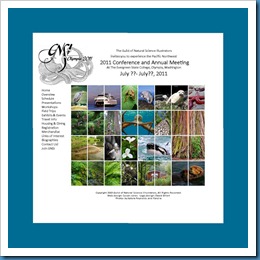
The GNSI conference website went live this week so check it out. http://www.gnsi.science-art.com/2011WA/index.html

I’m really please with how it’s looking.

sea-otter

Friday, December 10, 2010

CSS tactics

I have been engrossed in web design for the last 2 months and I am discovering that you can do most anything if you learn CSS. I have 7 books that are solely CSS, I’ve devoured them, taking an absurd amount of notes and there is still so much to learn! My 2 favorites are {speaking in styles} Fundamentals of CSS for Web Design by Jason Cranford Teague and CSS the Missing Manual by David Sawyer McFarland. {speaking in styles} teaches CSS like a language (foreign not programming) with syntax, semantics and vocabulary. These are the 3 sections that I am constantly referring to since I can never remember how to write in-line CSS, I get it confused with the syntax of HTML. The rest of the book puts CSS in context with web design and once you’ve read it, you’re pretty much done with that part. Most CSS books provide you with the same information so why this one? I like the way they list a term or CSS objective on the left side and present examples on the right side. With each item having a 2 page spread, it’s easy to use, there is a lot of white space so I’m not overwhelmed and searching for what I want in a sea of text. It’s a great introductory book.

CSS the Missing Manual is a workhorse! The text is easy to read and follow. I’ve read most of the book twice, once cover to cover and now project by project. I struggle with the index in most of the technical books, I don’t call things by the same name. I do use this index some but I find it much easier to look in the table of contents. I have just spent 2 days setting up a simple interactive map, it was so easy to design in Photoshop! But Dreamweaver was wearing me out! I finally pulled out the missing manual and started with basic layouts using floats and positioning. As I found bits and pieces of my puzzle examined, I was referred back to the chapter on background images.  Several hours later, I got the first block in my map laid out! The Photoshop map is basically 2 columns (below) while the Dreamweaver version is 3 columns with a nested column in the middle. The street lines are made up of 2 background images; it’s still going to be a challenge to figure out the best way to do the half street near the bottom!

print-map-web 

The other site that I have been working on has been equally educational. I have created a collage that has  images appear when you roll over the photographs. It’s a simple concept and you see it regularly but…

home-page-idea-blue

Once the site is up and running, I will post the address so you can play.

Saturday, October 30, 2010

Studying CSS

I have spent the last week trying to get my website done. I finally got the homepage to look the way I want it too and to work! I learned how to use Photoshop’s slice tool. I don’t have Photoshop books so I relied on the internet to find help. The tutorial was very straight forward, I took good step-by-step notes and it still didn’t work! For some reason, moving the html and CSS didn’t work out and I ended up with a grid of broken links to boot. When I tried to save the slices with the code, the page went from being  centered in the browser to hugging the left side. I spent an afternoon messing with the CSS and could never get the page right. Finally I simply saved the sliced image for the web without the code and was able to copy and paste it into Dreamweaver. I still had to link the parts of the image to the grid but I didn’t have to hack the code.

I am using a horizontal scroll to showcase my portfolio. You would think all that was needed was to reverse the coding for height and width. It’s never that simple! This time the information I found online worked without much fuss. I also finally found out how to make the navigation bar and footer stick and always be visible when the page is scrolled. I figured that I was set to input info and be done. I used a table to hold the images; I then tried to use the same template to present two pages of information ie my resume and bio. The pages don’t fit into a table very well so I tried to replace the table with 2 columns. I still haven’t figured out what went wrong! All the variations that I have tried crop off the left side of my page. My task for tomorrow is to create a new template with columns. I have spent the last few days reading about CSS. Right now I am reading The Missing Manual for CSS, I’m up to the chapters about layout, maybe I’ll figure out what happened, I think the problem is in the cascade.

In the mean time, the signs for the Carter Building came in and my husband and another tenant hung them Thursday night. I’ve gotten the paperwork for the registration of the logo re-filed; I hope I’m free to start another project! The walk to cure juvenile diabetes was this morning so I’m finished with that too. I’m about ready for an early bedtime – it was an early start this morning and very cold!

I actually participated in a linked-in discussion yesterday! That sounds pretty lame but it felt good to have something to share. Someone wanted a recommendation on books to read to learn web design – boy do I have a great list!! Being a part of design groups is a great way to collect information about web design, I’m creating several files that will come in handy. Last week I was reading about CSS3 and the new way fonts are being handled; the design groups just happened to have links to great font sites last week – perfect.

Tomorrow I need to get my business cards ordered and also a few different greeting card designs; First Friday is only 6 days away and I’m about to screw up again! I also want to spend some quality time with my website – I need to get it back online. There just aren’t enough hours in the day – and since tomorrow is Halloween, we’re going to the movies which will shorten my work day considerably. I know it sounds like a poor sport not to stick around and pass out candy but we don’t get many  trick or treat visitors and I hate the left-over candy!


business-card-logo-web

Saturday, October 16, 2010

Web design issues and social media

The last 2 weeks have been very busy, I feel like I haven’t accomplished very much but I’ve crossed a few things off my list just nothing having to do with my art. The Carter Building Alliance is on hold for awhile, I finished everything I can until I get more information from others. I did get my logo figured out and drawn. I still need to get the business card designed but I’m moving in the right direction.

I started on my website, I have some solid ideas and I’ve found the answer to some of the technical issues. I decided to use horizontal scrolling instead of a slide show format for my portfolios. That seems to solve a lot of user issues, you don’t have to click on a thumbnail to get to a larger image and then do something to get back to the thumbnails – it will save a lot of time and it looks good! I’ve spent a lot of time surfing websites and reading design books and magazines to see how web designers are handling things. I’ve never spent much time aimlessly surfing; most of the sites I use are research type sites and there is not a lot of variation. I found a few ideas that I’d like to play around with and I also made note of things that got in my way as a user (probably the most beneficial part). Now I need to set aside a few days to do nothing but work on my site.

I’m starting a new project for the Glenwood South Merchants Association. The website committee hasn’t moved very fast and there is quite a bit of impatience so I said I’d do it. All we need is a map of the district with links to members sites. The coding will be the easy part, deciding on the type of map to use is the challenge! Here again, most of the sites that have any type of map use Google maps or mapquest. Those are both good for giving directions and the layout of an area but are so sterile. I had decided on using the horizontal scroll here too and I did find a map that used that and one that had a vertical scroll. I like the way the horizontal scroll feels, like walking down the street. Now I just need to determine how to depict the storefronts. I’d love to do illustration style but that could take a long time (8 blocks of storefronts) whereas photographs would go much quicker. Maybe I’ll start with photos and replace them with illustrations when I have more time to get them done. This week I’ll go down and take some pictures and see how it goes; the illustrations wouldn’t have to be very big or detailed so they might go quickly…

I had my first executive committee meeting for VAE this week. There were only 4 of us there and I felt very comfortable with them. I think I will enjoy working with them. The board is such an elite group, I’m a little out of my social area but the ones I’ve met so far are very easy to be with; I hope I can make a lot of good contacts. This to is a step in the right direction to begin networking.

Last week someone wanted to connect with me on Linked In. I thought about it a while and decided that I really needed to get started on the social networking I’d promised myself I’d do. It was rather time consuming to get started; there are a lot of people on Linked In that I know but a lot of the people I thought would be there, aren’t. I’ve communicated with several people I went to college with; it feels so weird because the only way I can picture them is the way they looked 30 years ago. Of course, I picture myself that way too in relation to them! I’m not sure what the connections will do for me outside of a few conversations but the groups that I joined for designers has already provided some interesting information that will be helpful in creating websites. I’ve never used my facebook page for more than seeing what the young people in my family are up to, I wonder how long it will take for me to get the courage to post something to it! I got a course in Twitter; I can’t see that ever being a part of my life – just a little to much information! Blogs are fun, I don’t know if anyone will ever spend time with this one but my kitten one is useful when it’s time to get them adopted. I just have to keep reminding myself that all I have to do is one step at a time!

To do list for nest week:

  • order business cards
  • get signs hung
  • get the portfolios and home page up on my website (that will be a huge accomplishment!)
  • sketch out some ideas for the Glenwood site
  • maybe paint?

We’ll see how I do this time, I made the list shorter!

Monday, October 4, 2010

Juggling life and art

The week before First Friday’s Art Walk is always a blur. No matter how much I plan, I’m always rushing at the end. I think the more I get done ahead of time, the more I add to the list and it becomes a vicious cycle! This past week was very full and a lot got accomplished. I got the Carter Building website online and made the first round of changes. I got the home page for the Olympia conference sent out for critique and I’m ready to start making changes to that this week. We finished the major painting at the Carter Building, got the directory signs up and I’ll order the exterior signs this week. Our meeting last night was not well attended but we got a lot accomplished anyway. This morning I need to follow up with emails to everyone but we’re on our way!

But just look at my house! I spent Sunday clearing off my desk, paying bills, cleaning up the kitchen, laundry and a quick trip to the grocery. My art supplies sat there and taunted me. I have spent the whole last month working on web design, learning coding and in general having a lot of fun and feeling smart when I figure something out. I’m getting faster at figuring things out so hopefully the time will naturally appear for my art, otherwise I have to figure out how to fit it in; after all, that’s the main point here!

So my goals for this week:

  • Carter Building – order signs, send emails, set up excel spreadsheet to keep tract of the money
  • design and order business cards
  • design and order greeting cards
  • design this year’s calendar
  • work on my website upgrade
  • get templates finalized for the conference
  • paint, paint, paint

Without even thinking, painting ends up at the bottom of the list and I don’t even have household chores on the list. Maybe next week painting will move to the top.


“A clean house is the sign of a misspent life.”